Presets
Built-in looksCats, hearts, bows and clean rings — plus the 48-style scopehub catalog and the Sweezy Cursors top set. Ninety-two looks ship in the pack, switchable any time from the popup.
Absolute precision in every click.
Change your Roblox mouse cursor and swap in a custom crosshair for MM2, Rivals and every browser game. Pick a preset or upload your own PNG, then tune size, glow and opacity — free extension, settings save automatically.
Swap your Roblox mouse cursor right in the browser — a visual overlay only, no game files touched.
Cats, hearts, bows and clean rings — plus the 48-style scopehub catalog and the Sweezy Cursors top set. Ninety-two looks ship in the pack, switchable any time from the popup.
Draws on top of the page with zero clicks captured. No aim assist, no game edits — purely what you see.
Match the look with the live sliders. Everything saves when you close the popup and loads next round.
Bring your own art or start from a preset. Transparent PNGs look best — see the upload guide below.
Favorites for cursor tutorials — crosshair setups for MM2, Rivals and every Roblox experience launched from the browser.
 MM2Murder Mystery 2 · hearts & locks
 Adopt Mepaws, bows and sparkles
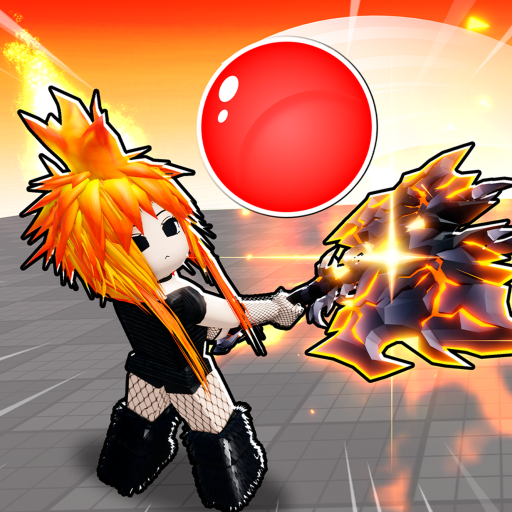 Blade Ballrings and dots for timing
 +every web game
Grab RBX Cursor from the button on this page. Keep the file as-is — everything sits at the root of the archive.
Download ZIPOpen chrome://extensions (or edge://extensions) and switch on Developer mode.
Drop the file onto the Extensions page. If your browser refuses the ZIP, unzip it and press Load unpacked — same result.
Pin RBX Cursor, open Roblox in the browser and choose a crosshair in the popup. Done — it follows you into the game.
Change the Roblox cursor, build a custom crosshair, run the MM2 setup — start below.
Install, pin, pick — the full path from ZIP to in-game crosshair in one page.
G2Which presets read best in Murder Mystery 2 lobbies and how to size them.
G3Transparent images, safe sizes and how the tint slider interacts with custom art.
How to change the cursor in Roblox, MM2 crosshair basics and custom cursor tips.
Install RBX Cursor from this page, load it in Chrome or Edge, open Roblox in the browser, then choose a preset or upload a PNG. The crosshair is an overlay — no Roblox files are modified.
Use the RBX Cursor extension: 92 built-in crosshairs (the scopehub catalog, the Sweezy Cursors top set, hearts, cats and classic shapes), custom PNG upload and sliders for size, glow and opacity. It works as a mouse-cursor overlay while you play in the browser.
Yes — in-game too. The overlay sits above the page, and when an experience locks your pointer for aiming, the crosshair automatically pins to the center of the screen. When the pointer unlocks, it follows the mouse again.
It does. Play Murder Mystery 2 in Chrome, Edge or Brave, pin the extension and pick an MM2-friendly preset such as Heart Lock or Candy Cat. Heart styles are the most popular pick.
The same crosshair works for Rivals, Blade Ball, Adopt Me and any other experience you launch from roblox.com — plus any web game outside Roblox.
It draws a custom crosshair on your screen while you play in the browser. Pick a preset or upload a PNG, then tune size, glow and opacity. Visual only.
Chrome, Edge and Firefox are fully supported. Any Chromium-based browser — Brave, Opera GX, Vivaldi — should work too.
The extension only changes what you see as a browser overlay. It does not aim for you, edit game files or touch your Roblox account.
No. Drag the ZIP straight onto chrome://extensions with Developer mode enabled. See the install steps above.
Try the chips in the preview panel on this page, or open the extension popup after installing for all twenty built-in looks.